Friendly Captcha beta
Friendly Captcha is a privacy-friendly CAPTCHA alternative that uses a proof-of-work challenge to verify users. CaptchaAI solves the puzzle and returns the token needed to complete the form submission.
Overview
Friendly Captcha commonly appears as:
- Proof-of-work widget embedded in a form
- DOM-based challenge with a
frc-captchacontainer - Token response that is injected into the
frc-captcha-solutionfield - Returns a single token that should be submitted with the form
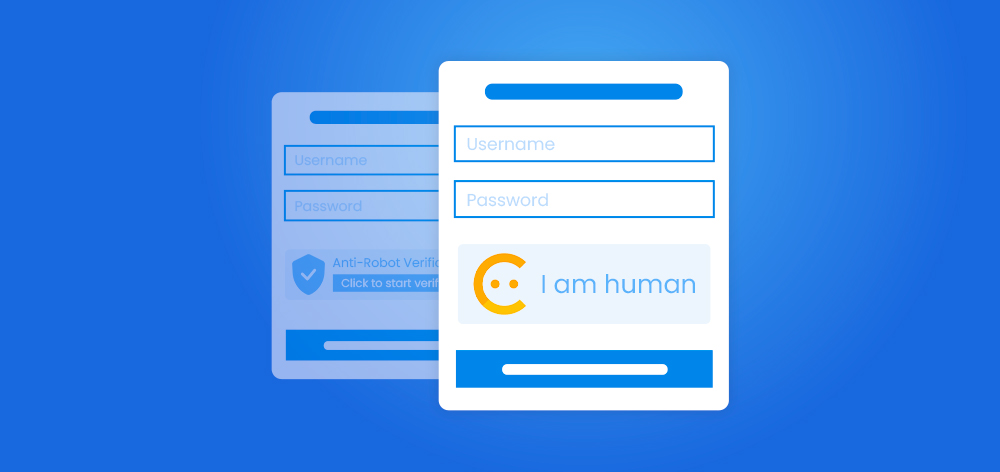
Example: Friendly Captcha "I am human" widget
How to Solve Friendly Captcha
Step 1: Locate the Sitekey
Look for a <div> with class frc-captcha in the page DOM and read its data-sitekey attribute.
Example HTML:
<div class="frc-captcha" data-sitekey="FCMGEMUD2M567T8G" data-start="auto"></div>
Step 2: Submit the Task to CaptchaAI
Send a GET request to https://ocr.captchaai.com/in.php with the page URL and sitekey:
import requests

params = {
    'key': 'YOUR_API_KEY',
    'method': 'friendly_captcha',
    'pageurl': 'https://example.com/login',
    'sitekey': 'FCMGEMUD2M567T8G',
    'json': '1'
}

response = requests.get('https://ocr.captchaai.com/in.php', params=params)
result = response.json()
task_id = result['request']
print('Task ID: ' + str(task_id))
Step 3: Retrieve the Solution
Wait for the task to complete, then poll https://ocr.captchaai.com/res.php for the token:
import time
import requests

time.sleep(15)

params = {
    'key': 'YOUR_API_KEY',
    'action': 'get',
    'id': task_id,
    'json': '1'
}

response = requests.get('https://ocr.captchaai.com/res.php', params=params)
result = response.json()

if result['status'] == 1:
    token = result['request']
    print('Token: ' + token)
Step 4: Inject the Token
Inject the token into the frc-captcha-solution field before submitting the form:
(token) => {
  const widget = document.querySelector('.frc-captcha');
  const fieldName = widget?.getAttribute('data-solution-field-name') || 'frc-captcha-solution';
  const form = widget?.closest('form') || document.querySelector('form') || document.body;

  let input = form.querySelector(`input[name="${fieldName}"]`);
  if (!input) {
    input = document.createElement('input');
    input.type = 'hidden';
    input.name = fieldName;
    form.appendChild(input);
  }

  input.value = token;
  input.dispatchEvent(new Event('input', { bubbles: true }));
  input.dispatchEvent(new Event('change', { bubbles: true }));

  return { ok: true, fieldName };
}
Response Format
JSON Response (with json=1):
{
  "status": 1,
  "request": "72b43902cd1457f6880dd3735c50070d.Z0+9+Hcx7KGSmHd1AQwtjQ..."
}
The response contains one important value:
request- The Friendly Captcha token to submit back to the site
Common Errors
- ERROR_WRONG_USER_KEY: API key is invalid or incorrectly formatted.
- ERROR_KEY_DOES_NOT_EXIST: API key does not exist.
- ERROR_ZERO_BALANCE: Account balance is too low to process the task.
- ERROR_PAGEURL:
pageurlis missing. Provide the full page URL. - ERROR_WRONG_SITEKEY:
sitekeyis invalid or malformed. - ERROR_BAD_PROXY: Proxy is invalid or unreachable.
- CAPCHA_NOT_READY: The solution is not ready yet. Wait and poll again.
For complete error documentation, see the Error Handling Guide.
Tips & Best Practices
Tip: Use the exact page URL where the widget appears, including any query parameters.
Tip: Read the
data-sitekeyvalue from the live DOM to avoid stale data.
Tip: Inject the returned token into the
frc-captcha-solutionfield before submitting the form.
API Reference
For complete API specifications and advanced options, visit the CaptchaAI API Documentation and select Friendly Captcha from the sidebar.